Items of Interest #1

From game design references, interesting shader tricks, and articles worth reading, to more in-depth thoughts and opinions
A short preface
I think a lot of you out there are familiar with the feeling of finding something cool, interesting or just neat that you want to share with others. You drop it to your friends on Discord, tweet about it, maybe even save somewhere and move on.
If its big enough or fits some kind of public knowledge collection you already have - you might even put it there.
But what do you do when you encounter something you think is cool, but it's too small to preserve. But then a year down the line you find yourself searching through your Discord logs across hundreds of servers and thousands of channels, wishing you would save it somewhere.
Some time ago I started to save things like that to my Raindrop collection syncing into Obsidian, the note taking app I use. But that is also private, and not all the things I'd love to share are on the internet to begin with.
So this is where "Items of Interest" come in. A series of posts (or a newsletter, subscribe below!) that will, hopefully, come out with some level of regularity. Where I'll post things I find interesting. From game design references, interesting shader tricks, and articles worth reading, to more in-depth thoughts on something I encountered. Like a service, tool or a product. Oh and yeah, not everything will be super recent, as sometimes I find things from a while ago I haven't seen people talking about.
wow, this almost sounds like a blog...
With that out of the way, let's start with the very first issue of orels' Items of Interest, Christmas 2023 Edition 🎄
In today's issue
- VR lockpicking mechanic from AC: Nexus #game-design #reference #vr
- Rewriting wipEout #development #tech-blog
- Immersed: a VR work app #vr
- C-Smash VRS UI overview: stellar retro-modern UI for PSVR2 #vr #ui
- Bonus: The history of Skull Trumpet (Doot Doot) gif
VR Lockpicking in AC: Nexus
I love some great-feeling VR game mechanics and I think the lockpicking from Assassin's Creed: Nexus.
I think the reason why it feels satisfying is the nice feeling of two-handed control. Where the left hand controls the "depth" of picking, and the right - the rotation. The depth also has a nice easing that feels like it "snaps" to a level as you push and pull.
I also appreciate the little details like the spinning part having a trail that stretches with fast turns, making it feel that much more fluid.
The only thing that irks me is the lack of smoothing on the user's input. It is a bit too jittery when you wait for the target to engage, which doesn't look great.
As a technical artist, I would also maybe look into a more interesting shader effect for the whole system as well, than just what seems like some Voronoi noise. I think doing something that maybe renders an outline of a mechanism could be more fun. And also allows for extra detail depending on the type of lock plus an extra little unlock animation.
Either way, for what it is - it is pretty great and feels very nice in VR. I wish the rewards behind those locks were more meaningful though, but that's a different subject I'm not going to get into.
Rewriting wipEout
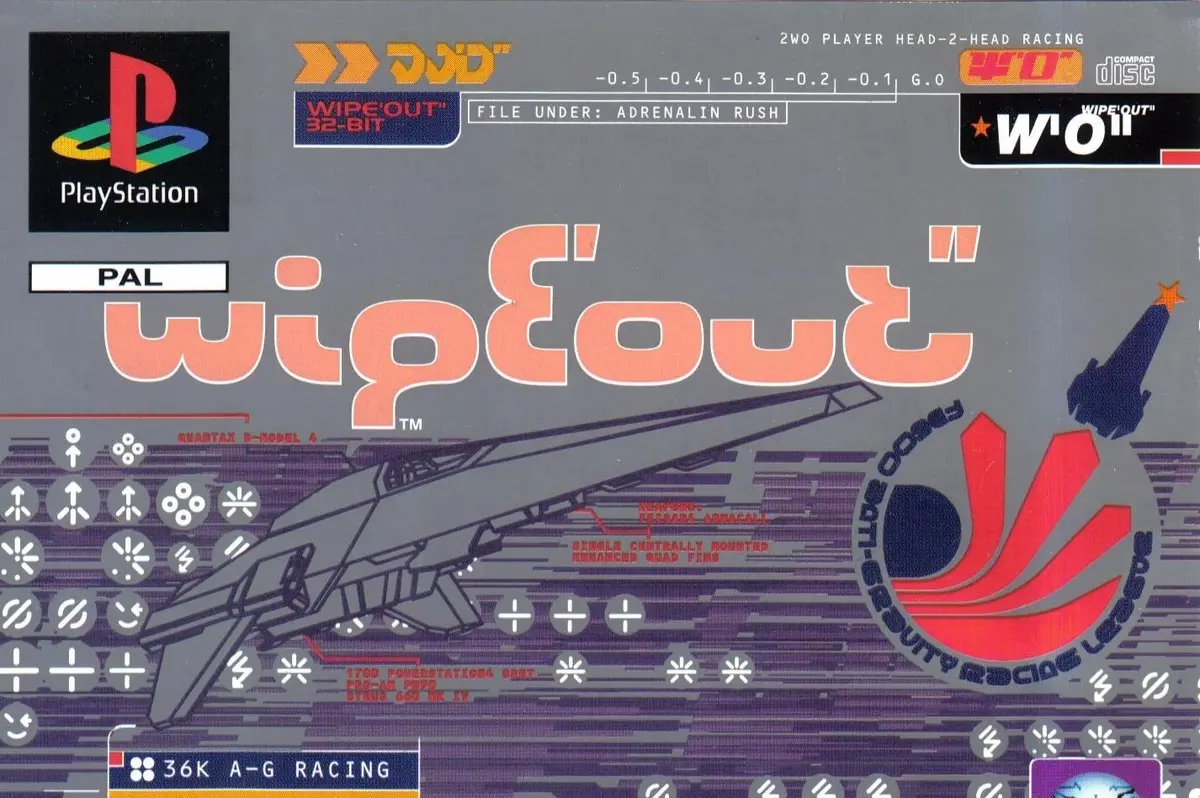
A discussion in one of the discords I'm in made me go look for the link to the original wipEout source code leak. While looking for the news and sources I stumbled upon this incredible article by Dominic Szablewski, which goes into their efforts of rewriting the original game's source to work on modern machines. You can even play the result of those efforts in your browser and go read its code on GitHub!
It was a great read and I highly recommend it if you're at all interested in the history of PSX and early PC games.
Fair warning, the article is pretty technical, but I recommend it nonetheless.
Immersed: a VR work app

A bit of backstory here. I purchased a Meta Quest 3 recently and have been doing what anyone does when they get a new tech toy: trying to find all the possible use cases for it.
Due to a much-improved display (compared to Quest 2 and, especially, Valve Index, my main VR HMD atm) as well as more compact and lightweight construction the idea of using it for doing some actual work in the headset was one of the first on my mind. But I had to find the best way to do it.
The very first thing I tried was using Steam Link, the official application made by Valve to stream your PC VR to Meta Quest. And then using some VR overlay like XSOverlay to provide desktop capture and interaction. But that had a couple of drawbacks:
- XSOverlay doesn't provide any virtual displays by itself. Can be solved by installing an IddSampleDriver or some kind of similar solution, but its a bit clunky
- This wastes a considerable amount of PC's resources on running VR when all you want is to look at flat panels in your space
- No passthrough
So I went looking for alternatives and was somewhat disappointed.
- Quest's native Remote Display application turned out to be unstable above 1080p and only streams a single display
- Horizon Workrooms have 0 display management capabilities and put them way too far away to be useful for high density code editing
- VirtualDesktop only supports a single display, although its great otherwise
Finally, I stumbled upon "Immersed", it looked a little crude, but it seemed to promise everything I wanted, so I gave it a shot. And low and behold, it did work amazingly well. Here's a couple of highlights:
- Up to 3 displays at a time can be streamed (with 2 virtual displays provided by the streaming application)
- Landscape and Portrait display support
- Arbitrary layout or grid-locked
- Automatic windows desktop layout in windows, so moving the display in 3d space will also make windows move the position of the display in their layout manager
- Phone streaming support
- Passthrough
- Wi-Fi direct for on-the-go setups and direct USB connection for better latency and quality
Honestly, I am a little blown away by how many features the developers packed into this little app. They also have a subscription for a bunch of extra stuff, like more displays and higher resolution virtual screens (by default the virtual ones only go up to 1920x1200), but those could be still solved by an IddSampleDriver, or you can get all those perks by simply working in Immersed for 3 days in a row!
There are also other features like being able to work together with someone else and even share one of your screens, but I haven't tested those.
Here's a picture of the layout I have been using with full passthrough. I'm working late at night so the passthrough is super-grainy, but that's just how these things go.
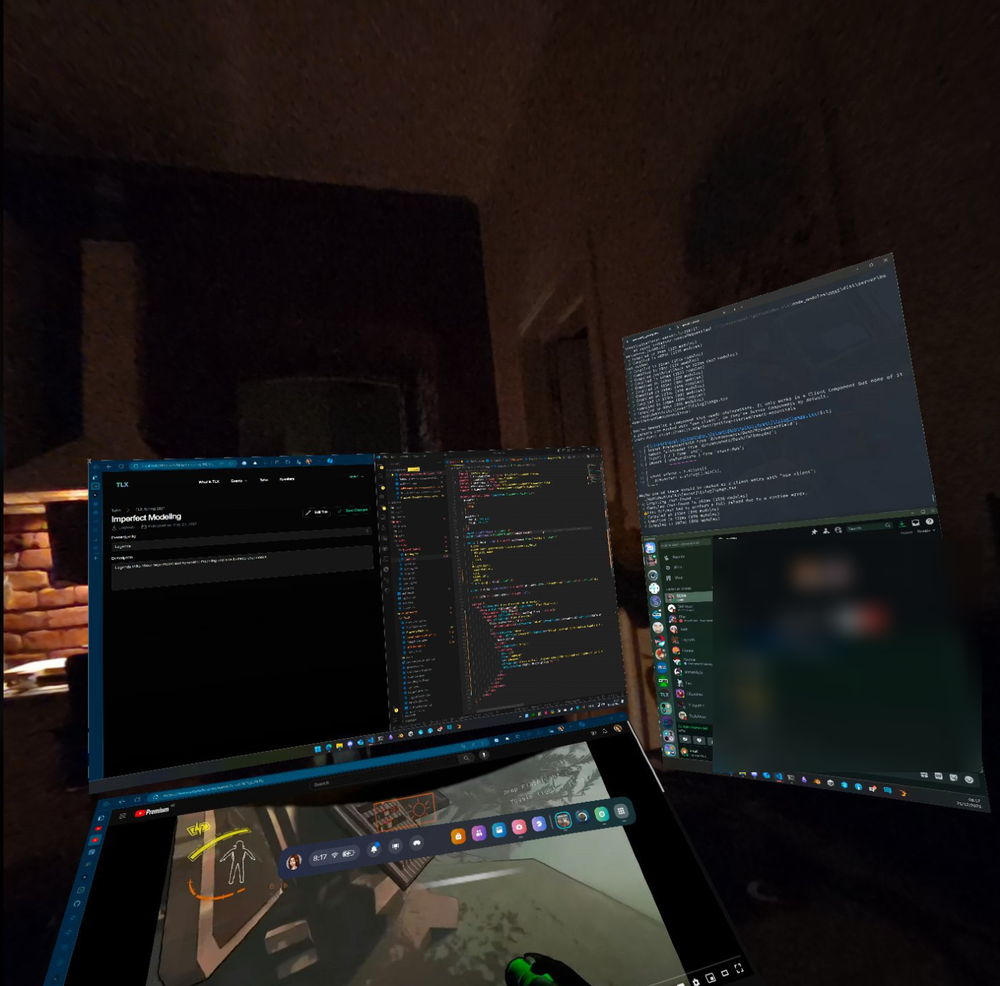
So yeah, if you have a Quest 3 (or at least a Quest Pro), I highly recommend checking out Immersed
C-Smash VRS UI Overview
If you're like me - you love the clean visual style of the early-mid 2000s wipeout games, Designers Republic, and the overall minimalist futurism kind of look.
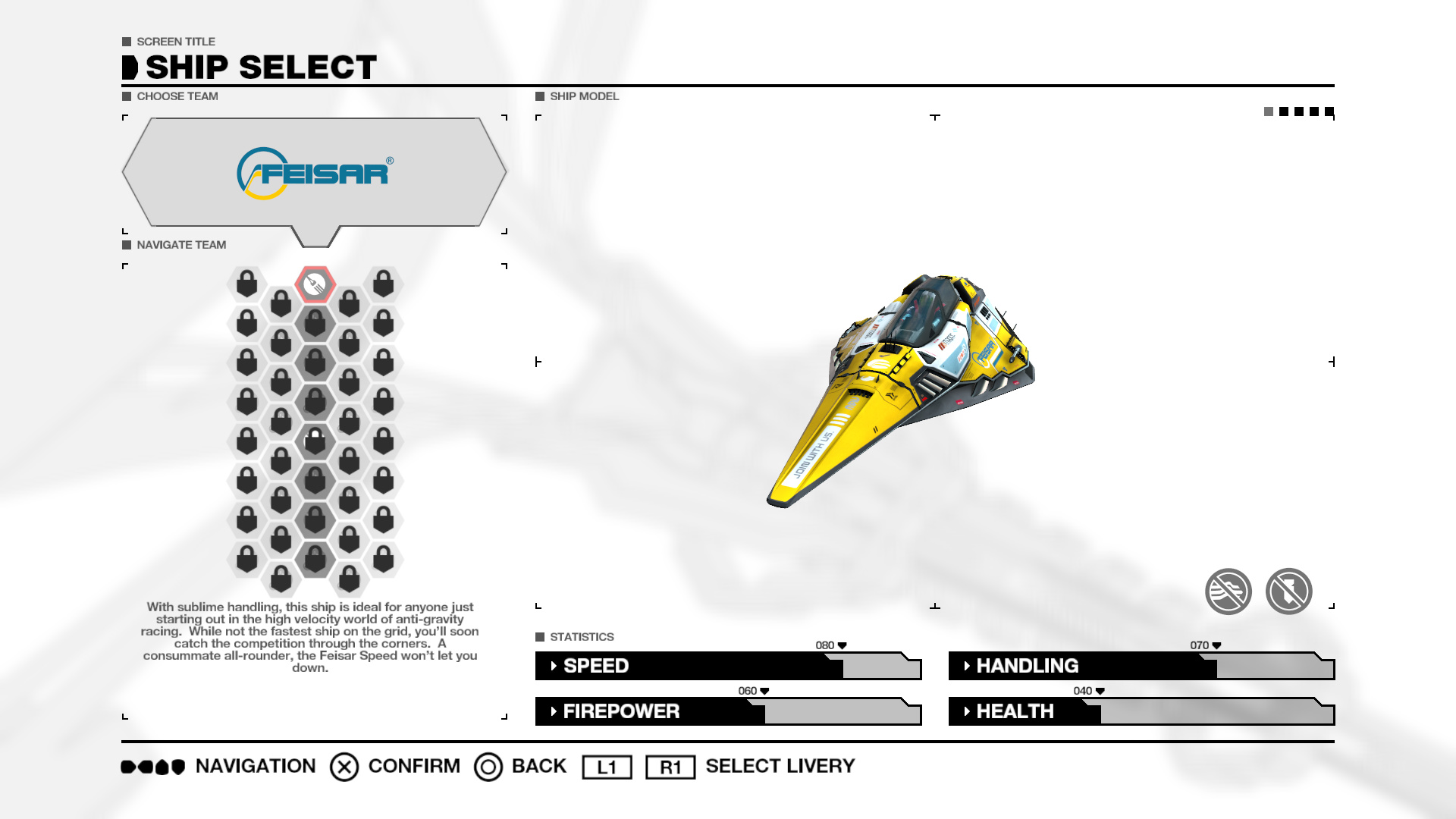
So when I somehow stumbled upon one of the more recent works of Arkotype (@arkotypeco) I just had to spread it everywhere.
And since it also combines 2 of my favorite subjects: User Interfaces and Virtual Reality I knew it had to go in here. I would even say seeing arkotype's work and not knowing how to best share it with others is one of the reasons I wanted to start Items of Interest for so long!
Go take a look for yourself at this UI design goodness, as I won't be reposting any of the images here.
Bonus: The history of Skull Trumpet gif
 Jazz Skull
You have probably seen this image before. But do you know where it is from or who made it? And no, Know Your Meme does not have the correct answer.
So who made this undoubtedly classic piece of internet culture? I won't spoil it for you, but if finding an answer to that question is something that sounds interesting to you, I recommend watching Jeffiot's great video on the topic.
I never thought I'd be so invested in learning about the history of a 1-second-long gif, but here we are.
End of Issue #1
And there it is. The very first issue of Items of Interest. Was this interesting to you? Will there be another one? We shall see!
If you have any thoughts on this, or just want to chat, or just found something cool that you'd love others to see, feel free to reach out!
- Twitter: @orels1_
- Mastodon: @[email protected]
- Bluesky: @orels1.bsky.social
- Discord: discord.gg/orels1
Thanks for reading ❤️ and happy holidays! 🎄